Find unknown Japanese right where you see it, in your own handwriting.
No app switching and no need to know the reading. Draw a kanji as it appears, then check its meaning, reading, and stroke order.
- Handwriting and voice
- Korean and English meanings
- Offline lookup after setup
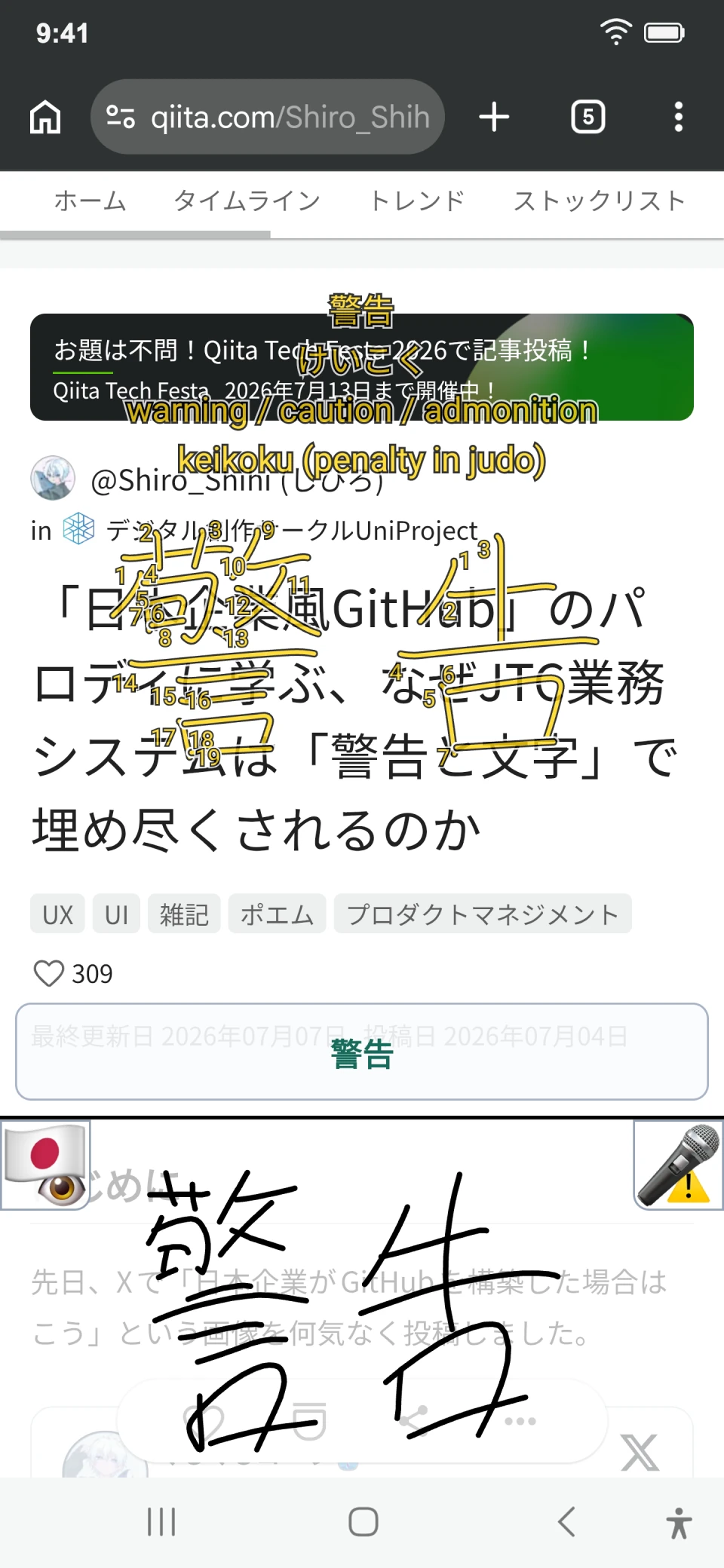
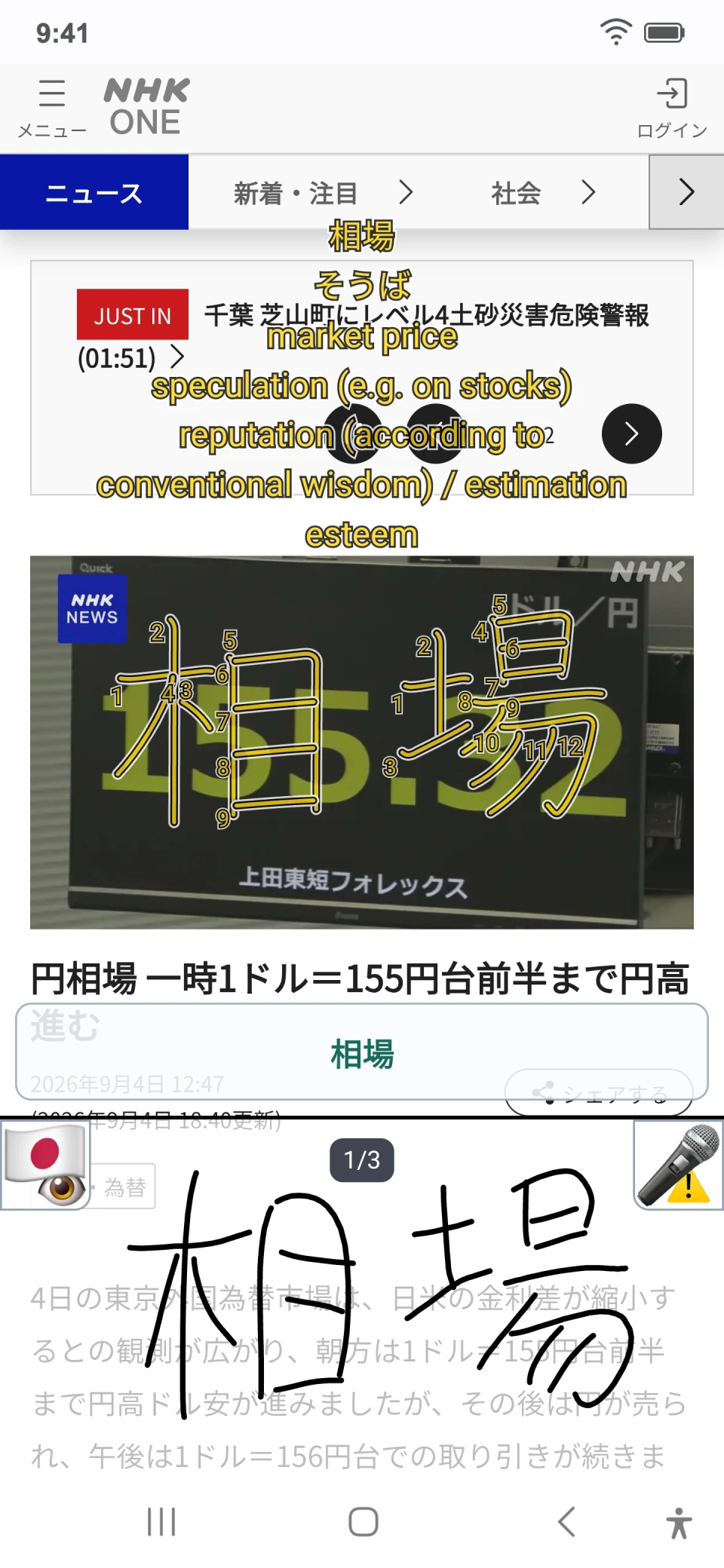
Translation gives you the answer. It cannot do the practice for you
You can use automatic translation day after day, but that alone will not build your Japanese reading skills
With Baro Japanese Dictionary,
looking closely at kanji, drawing them, and looking them up becomes a natural way to practice and helps what you learn stay with you
Keep reading.
Look it up in three steps.
Without leaving the screen where you met the kanji, three actions get you the meaning, the reading, and the stroke order.
-
01
Open it over any screen
When you meet unknown Japanese in news, the web, or a video, open the panel with the Accessibility button or movable bubble.
-
02
Draw it or say it
Copy the shape even when you do not know the reading, or use voice search for a sound you know. Alternative recognition candidates stay within reach.
-
03
Learn and continue
Check the reading, Korean or English meaning, and kanji stroke order, then continue the original content without switching apps.
Pricing
Every dictionary feature is free. Premium is an optional purchase that removes the occasional reminder. You can report awkward definitions and search issues directly in the app.
One-time Premium purchase during beta
Planned Korean launch price ₩5,900
₩1,000 about 83% off
This is not a subscription. Every dictionary feature remains free; Premium is an optional purchase that removes the occasional reminder.
-
No feature locks
Try the handwriting overlay, reverse lookup, stroke order, recent searches, and other core features early.
-
Feedback is reviewed
Real feedback on results, wording, and interaction flow is reviewed before launch.
-
One-time purchase
Premium bought at the beta price can be restored with the same Google Play account.
How to join
Three steps. Use the same Google account for the tester group and the Google Play Store.
-
1
Join the Google Group
Enter the tester group first. Sign in with the Google account you use for Google Play, then join the beta tester group.
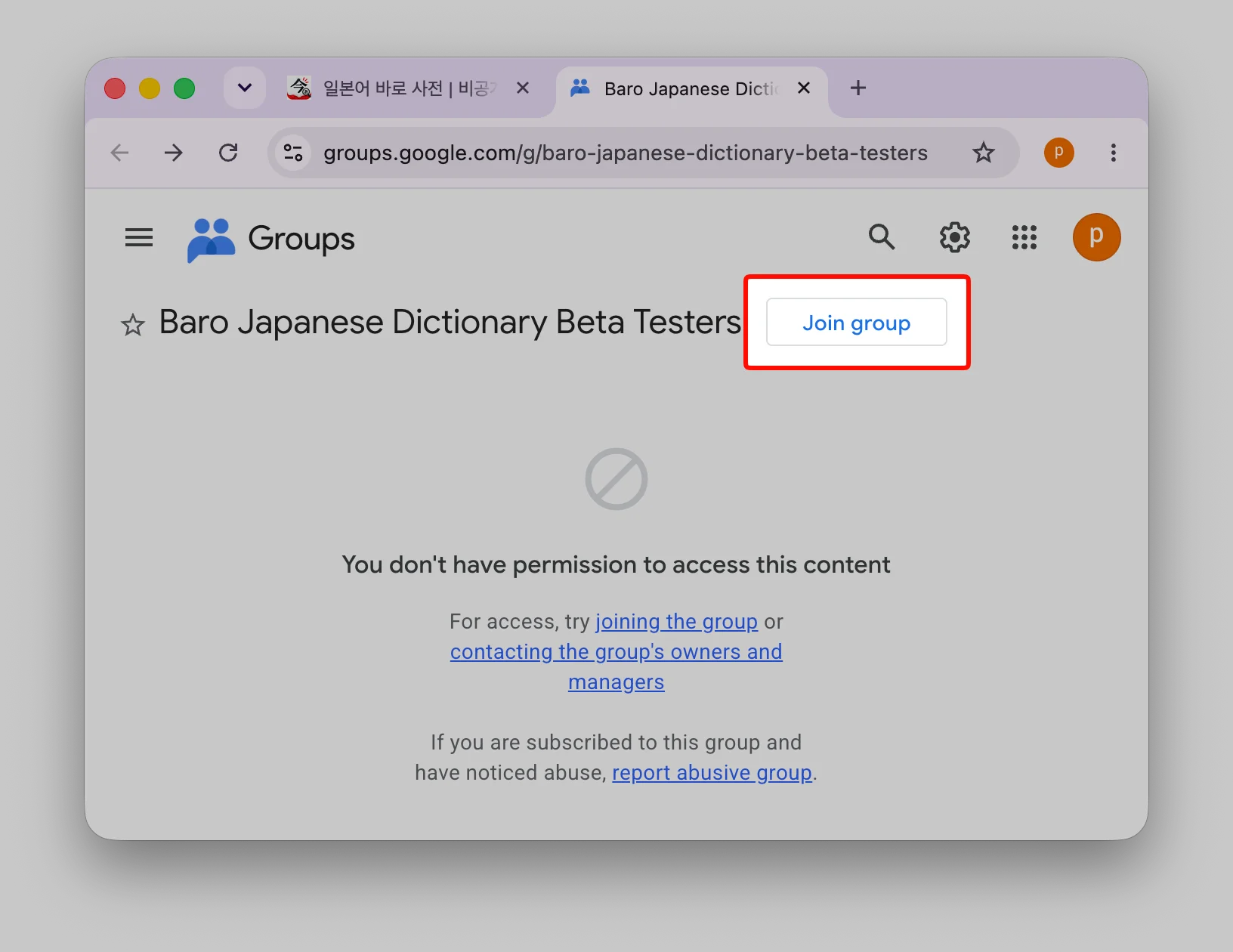
1. Select Join group 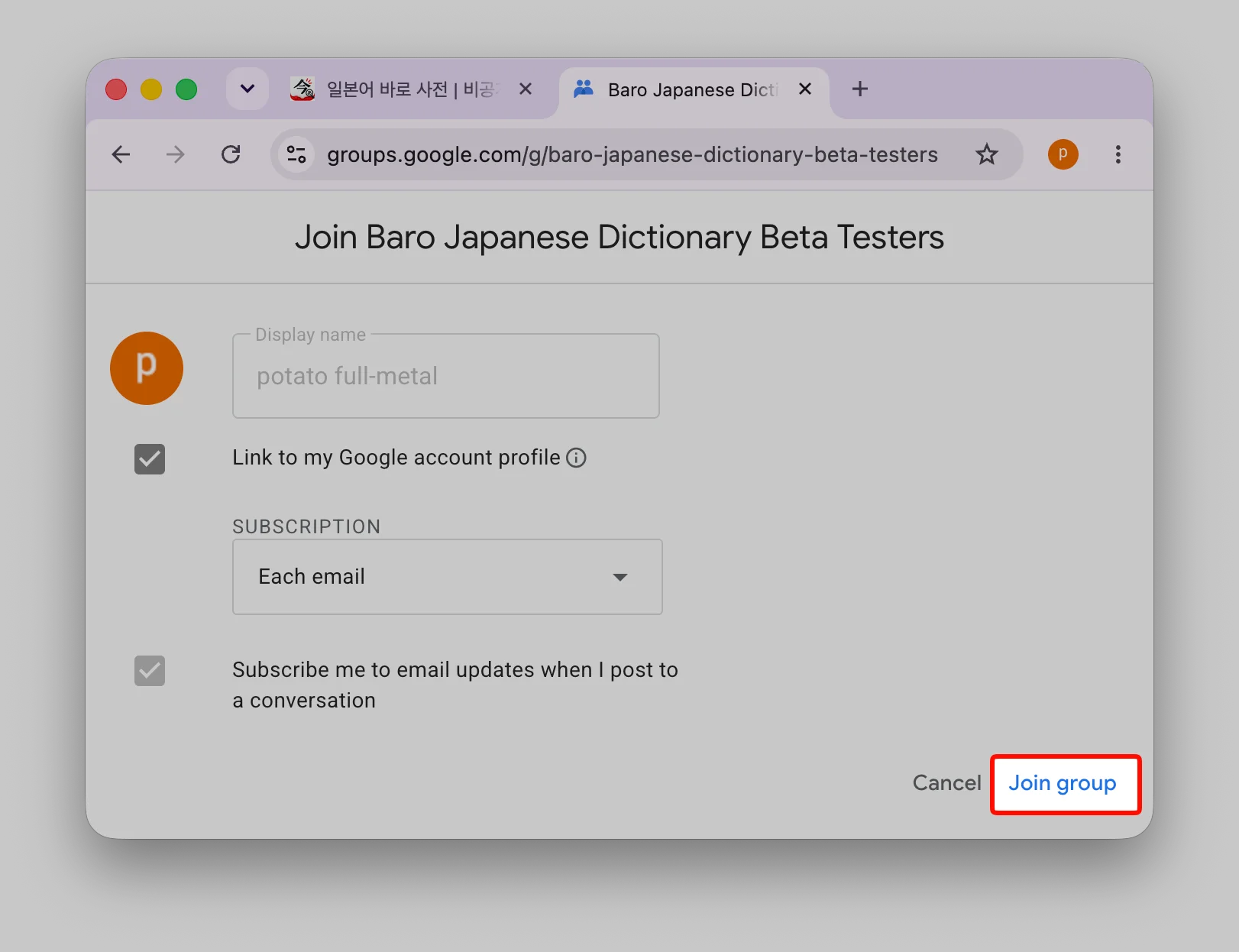
2. Select Join group again to confirm -
2
Install from Google Play
Install with the same account. After your group membership takes effect, open the test page, select Become a tester, and then install from the Play Store.
-
3
Test with us for 14 days
Stay opted in and give it a real try. Please remain opted in continuously for at least 14 days. Use the app and tell us about search errors or anything that gets in your way.
Write it once.
Without leaving the screen.